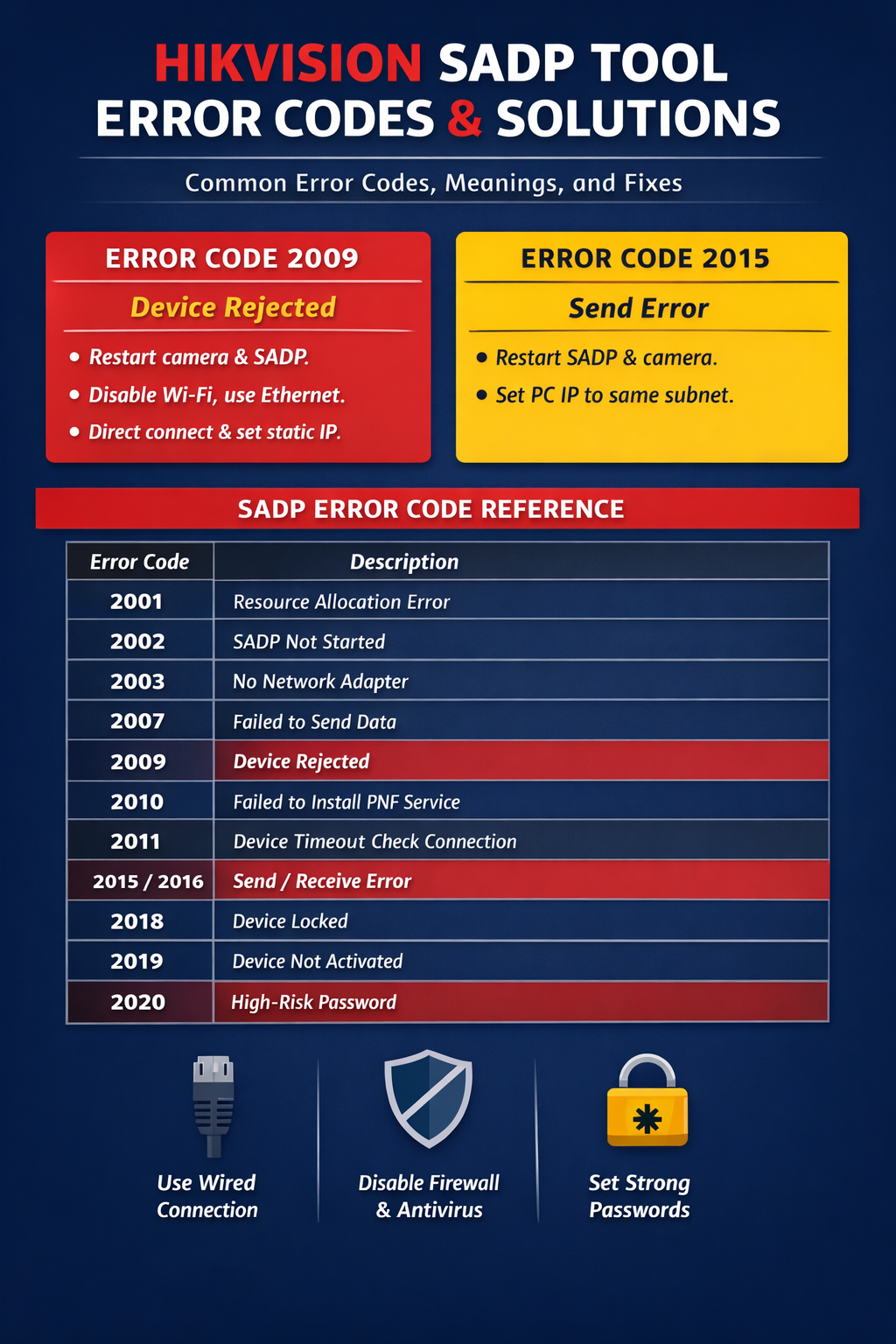
Many users encounter errors when using the Hikvision SADP tool to activate or configure cameras, but do not know the meaning of the error codes.
Today, we have organized the meanings of these error codes.
In the future, when you encounter an error, you can check the error code meaning and handle it accordingly.
Example:
Error Code 2009 means Device Rejected
Solution:
- It is recommended to restart both the camera and the SADP software.
- If there are multiple devices that need password recovery, confirm whether the corresponding password recovery file has been imported.
- If using a laptop, turn off Wi-Fi and connect to the same local network as the device using an Ethernet cable.
- It is recommended to directly connect the camera to the computer and set a fixed IP address in the same subnet.
Error Code 2015 means Send Error
Solution:
- Restart the SADP software and the camera, then try to modify again.
- If modification still fails, it is recommended to set the computer IP address to the same subnet as the device first.
Other Error Code meanings(For Reference)
You can troubleshoot according to the corresponding error meanings below.
- Error Code 2001: Resource allocation error
- Error Code 2002: SADP not started
- Error Code 2003: No network adapter
- Error Code 2004: Failed to obtain network adapter information
- Error Code 2005: Parameter error
- Error Code 2006: Failed to open network adapter
- Error Code 2007: Failed to send data
- Error Code 2008: System interface call failed
- Error Code 2009: Device rejected the operation
- Error Code 2010: Failed to install PNF service
- Error Code 2011: Device timeout.
Check the network connection between the computer and the device.
You can test by direct connection or ping the camera IP address to check the network environment. - Error Code 2012: Failed to create socket
- Error Code 2013: Failed to bind socket
- Error Code 2014: Failed to join multicast group
- Error Code 2015 / 2016: Send error.
Indicates send and receive errors.
(The computer IP must be set to a fixed address and be in the same subnet as the activated device.)
Restart the SADP software and the camera, then try to modify again.
You can disable antivirus software and firewall on the computer, restart the software, and then try to activate the camera again. - Error Code 2017: Multicast XML parsing error
- Error Code 2018: Device locked
- Error Code 2019: Device not activated
- Error Code 2020: High-risk password.
Check whether the set password contains “admin”.
The activation password must be 8–16 characters long and consist of at least two or more combinations of numbers, lowercase letters, uppercase letters, or special characters.
You can change the password and test again. - Error Code 2021: Device already activated
- Error Code 2022: Encryption string is empty
- Error Code 2023: Export file limit exceeded