
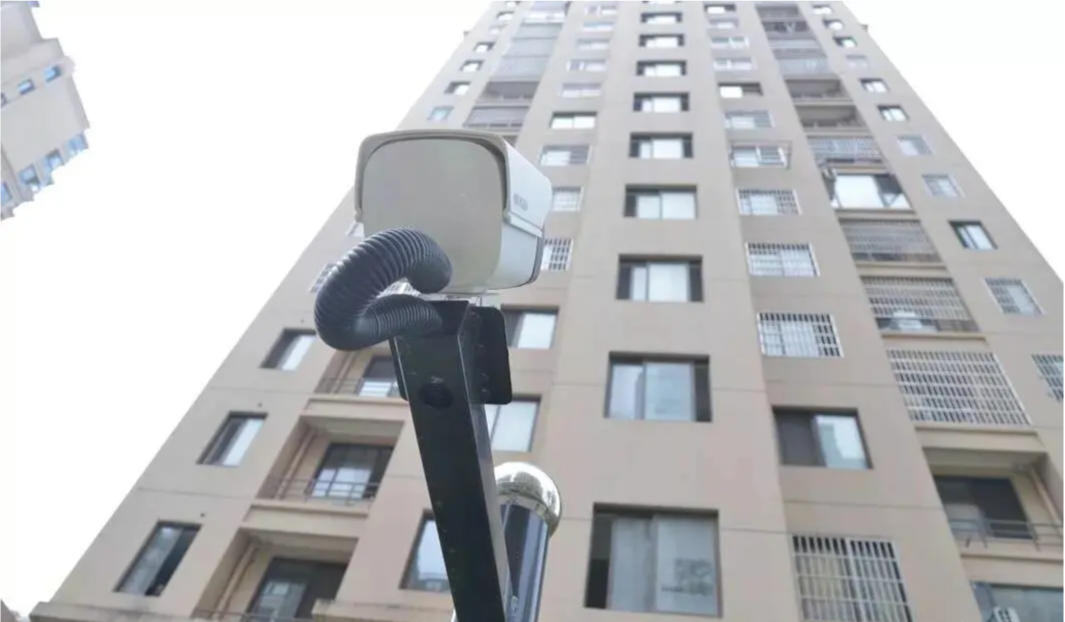
Common Issues with Dahua Smart Cameras for High-altitude Object Throwing:
- What is the best installation distance?
The recommended distance for monitoring the building facade is between 15 meters and 30 meters.
What if the installation distance is only 10 meters?
In this case, multiple cameras should be set up horizontally to ensure the coverage of the building’s width. However, with a shorter installation distance, there will be overlapping floors, making it difficult to identify the specific floor from which the object is thrown. - How to cover a typical 30-floor high-rise? What is the coverage width?
Cameras on lower floors can cover up to the 12th floor. Cameras on middle and higher floors can cover approximately the 13th to 30th floors, with a coverage width of about 36 meters. - If cameras are only installed on lower floors, can the alarm still trigger if an object is thrown from higher floors?
No, the alarm will not be triggered unless the object’s initial trajectory is within the detection area of the intelligent recognition camera. - What is the smallest object that can be recognized? Can cigarette butts be recognized?
The system can recognize objects that are approximately the size of a 2020-pixel object at 8MP resolution (roughly the size of a water bottle). Under optimal conditions, objects as small as 66×3 cm can be recognized. Cigarette butts cannot be recognized as they lack sufficient pixel density. - What is the false alarm rate? Will insects or birds flying through cause false alarms?
If an object moves downward with minimal horizontal movement, the system may interpret it as a thrown object and trigger an alarm. Insects or birds flying horizontally or diagonally through the frame will not trigger an alarm. - Can it recognize objects in rainy or snowy weather?
In rainy or snowy conditions, or when there are many insects in the summer, false alarms are likely to occur. It is recommended to disable the recognition feature in such cases to prevent continuous false alarms. - Will there be false alarms at night?
At night, infrared light may attract mosquitoes, and dust in the air becomes more visible in the image, which can result in false alarms. - What if the camera covers too many floors, and it’s difficult to distinguish which floor is which in the footage?
It is recommended to use the OSD (On-Screen Display) character overlay function to label specific floors, such as the 5th, 10th, or 15th floors. - What if the camera is facing upward and dust or other foreign objects fall on it? Does it have automatic detection and alarm features?
If dust accumulates and affects monitoring, manual cleaning is required. The rain wiper can be activated in rainy or snowy weather. If it is just dust, it may still affect the lens. Foreign objects must occupy at least 80% of the camera’s view before an alarm will trigger, so manual cleaning and judgment are still necessary. - How can alarm logs be checked?
Alarm messages can be subscribed to through the IPC’s web interface. Please note that the NVR does not report this type of alarm information, so it is recommended to use SmartPSS for log queries or set up a storage plan to replay high-altitude object throwing alarm recordings. - Why can’t I find the recording in the SmartPSS event log?
After an alarm event occurs, if you click the small recording icon immediately, the system may show “No recording found.” You need to wait around 30 seconds before you can query the recording. - There are many small green boxes in the camera’s detection frame, causing many alarms?
Ensure that the camera is installed on a stable pole. Camera shake can significantly impact the accuracy of the algorithm and nearly ruin it. If the camera shakes, the alarm accuracy will be very low.