
Hikvision Intelligent Traffic Camera – Strobe Light Installation, Wiring, and Configuration Guide
1. Model Function Overview
- CXBG-1-PS-DS-TL2000A-L1 – Single-lane white-light strobe
- CXBG-1-PS-DS-TL2000A-L1-N – Single-lane warm-light strobe
- CXBG-1-PS-DS-DS-TL2000A-L3 – Three-lane white-light strobe, 40° illumination angle
- CXBG-1-PS-DS-TL2000A-L3-N – Three-lane warm-light strobe, 40° illumination angle
The following instructions apply to the models listed above.
If you are using other models, please refer to the device’s user manual.
2. Installation
The strobe light is typically installed on the same pole as the camera, with a horizontal distance of more than 3 meters from the camera.
3. Wiring Instructions
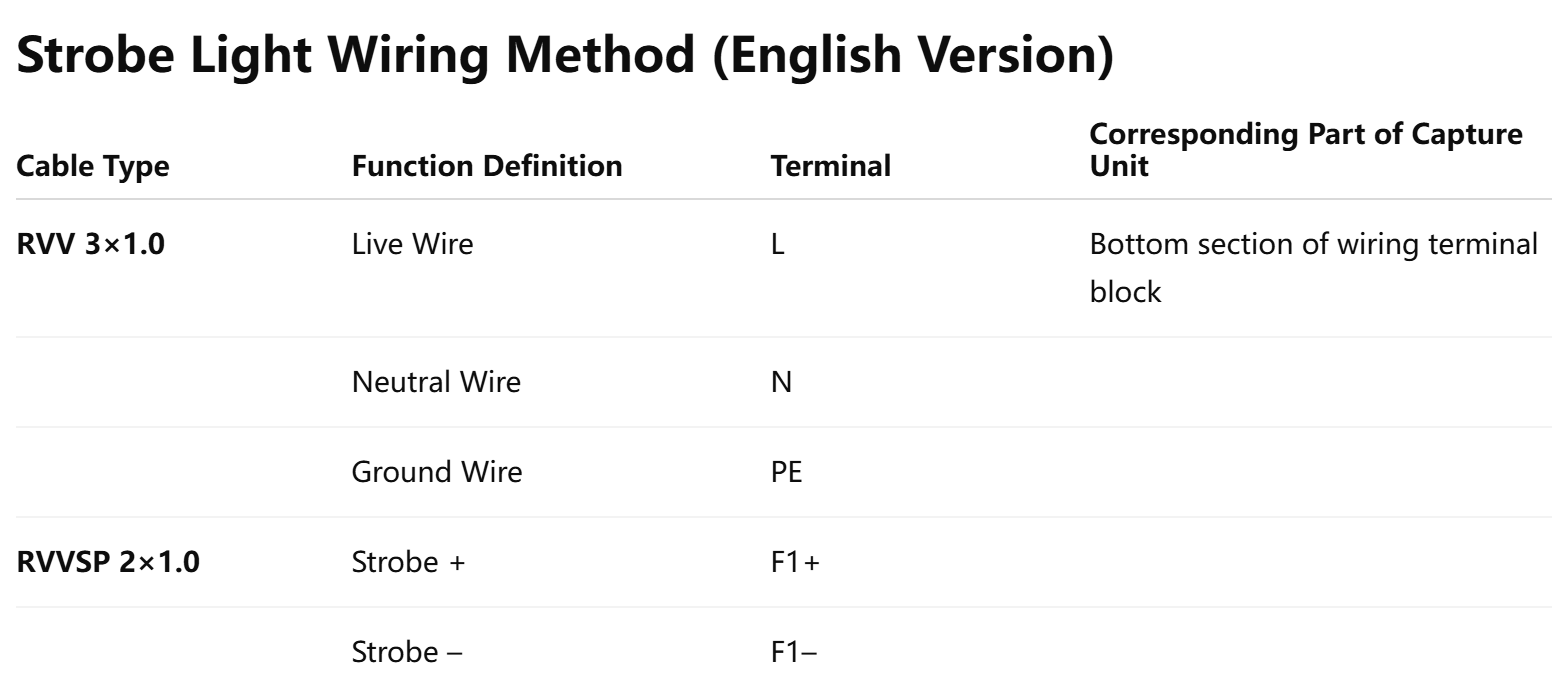
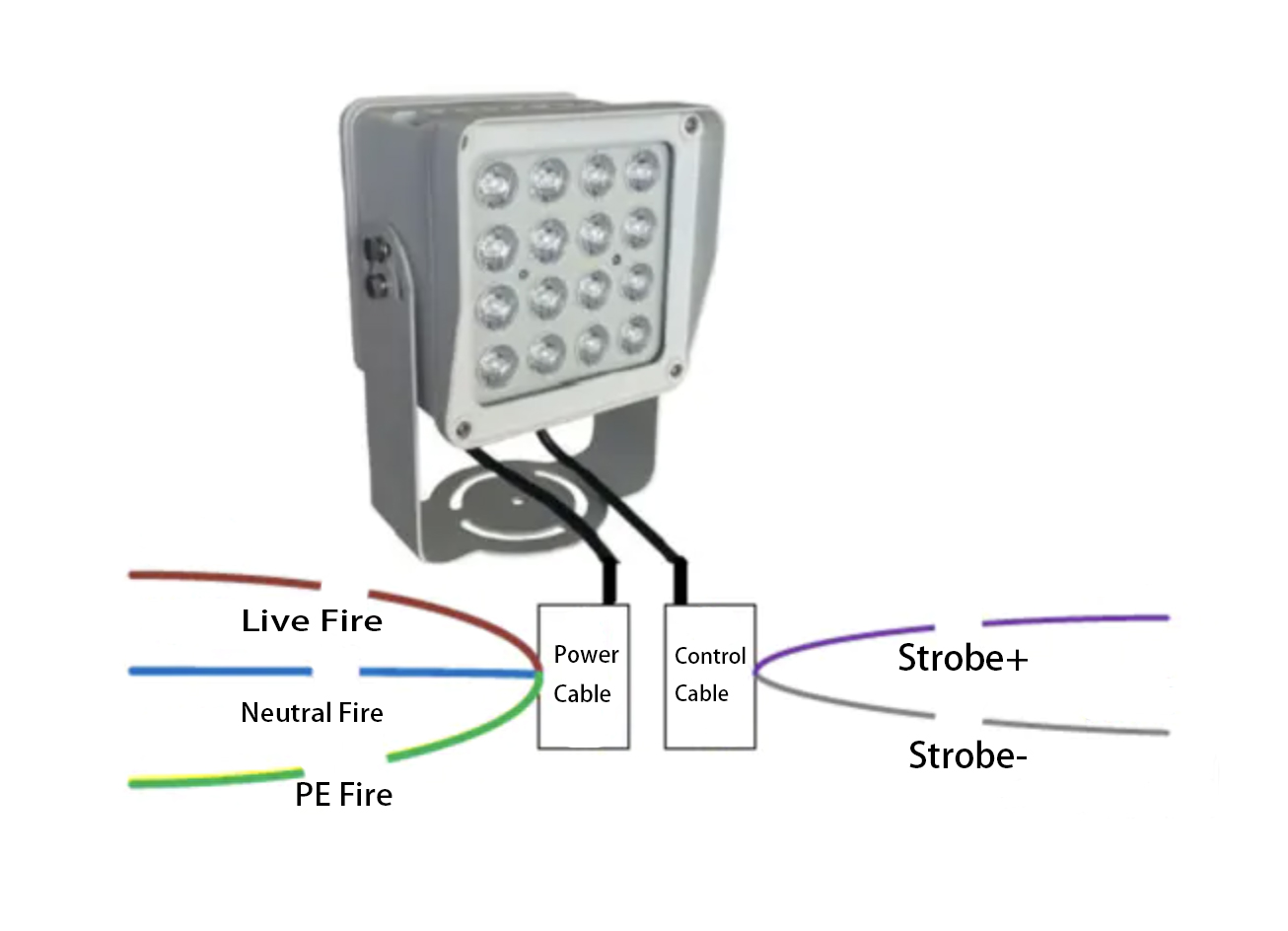
- Cable color and function definitions must follow the on-site cable labels.
- The strobe light requires an external power supply.
- The control wires are polarity-sensitive and must not be reversed.
- The control wires can be connected to any available F-port on the camera (e.g., F1+ / F1-, F2+ / F2-).
- Record the exact F-port used for later configuration.
4. Configuration via Web Interface
After wiring is complete, access the camera’s web interface for configuration.
Configuration logic
- Identify the F-port used for the strobe light and configure that port (e.g., if connected to F1, configure F1).
- Set the Trigger Mode to Pulse Effective State, default Low Level.
- For activation mode, it is recommended to select Scheduled, using local sunset time as start and sunrise time as end.
- Strobe brightness level ranges from 0 to 39 (0 = off, 39 = maximum),Recommended brightness: default value 18.
Troubleshooting – Strobe Light Not Working
- Verify which F-port the strobe is connected to.
- Confirm that in the camera’s Supplemental Light Settings, the selected F-port uses Pulse Effective – Low Level.
- If using Scheduled Mode, check:
- whether the camera time is correct,
- whether the system is currently within the active time period.
If using Brightness Mode, switch to Always On (default activation mode) for testing.
- When power is cycled, the strobe should flash once during self-test.
- If it flashes, the strobe is likely not faulty.
- Try wiring and configuring the light on a different camera F-port to rule out F-port failure.
- Use a multimeter continuity mode to check whether the control wires are short-circuited.
- Use a multimeter AC voltage mode to verify that the power supply is functioning normally.